
Are you searching for a fun, interactive game that you can play with friends or teams without downloading anything? Play Wavelength Online is a perfect choice. This browser-based game allows groups to test their communication skills, creativity, and intuition entertainingly.
Whether it’s a game night, family gathering, or team-building session at work, Play Wavelength Online provides hours of engagement and excitement. This comprehensive guide will walk you through everything—from setup and rules to advanced strategies and tips—so even beginners can play confidently.
By the end, you’ll be ready to host a full Wavelength session, ensuring everyone has fun and learns to think outside the box.
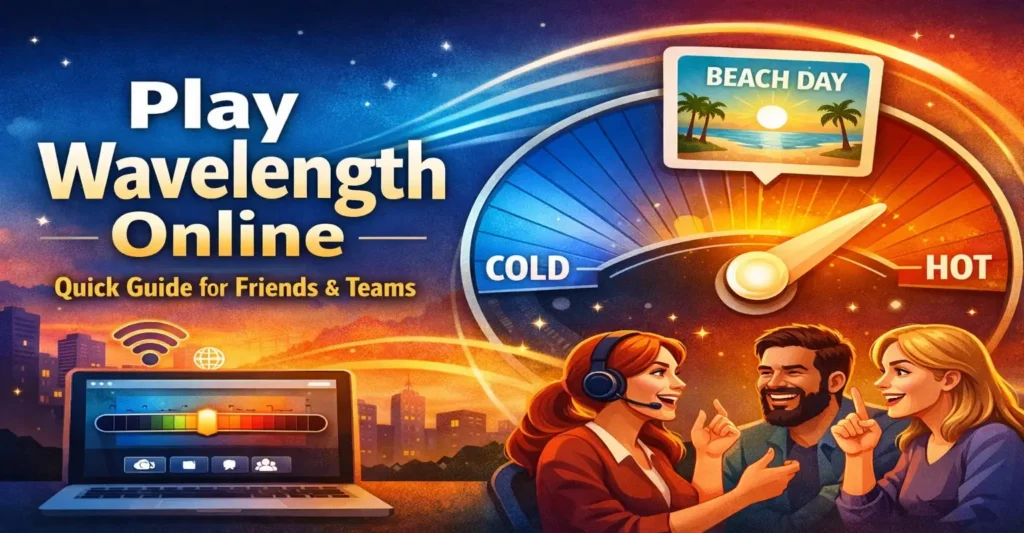
Table of Contents
What is Wavelength?
Wavelength is a social guessing game designed around a hidden spectrum. One player, the “Psychic,” gives a clue, and the team tries to guess where that clue falls on a scale between two extremes. The game combines creativity, deduction, and teamwork, making it ideal for groups.
Key Features
- Team-based: Players are divided into teams for competitive fun.
- Creative clues: Each round challenges players to think and communicate clearly.
- Fast rounds: Each round takes only a few minutes.
- Browser-friendly: No downloads required; you can instantly Play Wavelength Online.
- Educational and fun: Improves communication, intuition, and team collaboration.
How to Play Wavelength Online
Playing Wavelength online is simple and only requires a web browser. Let’s go step by step.
Step 1: Choose a Platform
There are multiple platforms where you can Play Wavelength Online for free. Look for official or reliable browser-based versions. Some platforms include:
| Wavelength Online Official | Full game, browser-ready | Free for basic play |
| Board Game Arena | Includes Wavelength and other board games | Requires free account |
| Tabletopia | High-quality game simulation | Optional premium content |
Step 2: Open the Game
- Open the game on one device and choose the number of teams.
- For remote play, share that device’s screen through a video call.
- Ensure everyone has a stable internet connection to avoid lag during discussions.
Step 3: Set Up Teams
- Divide participants into two or more teams.
- Typical team sizes range from 2–5 players.
- Teams take turns guessing the position of the target on the spectrum.
Step 4: Assign Roles
| Psychic | Sees the hidden target and gives a clue |
| Team Members | Discuss and guess the target location based on the clue |
| Scorekeeper | Optional, keeps track of points per round |
Step 5: Start Playing
- The Psychic views a hidden target on a spectrum.
- They provide a clue to help their team guess the location.
- Team members discuss and select a position on the spectrum.
- Points are awarded depending on how close the guess is to the target.
Step-by-Step Example of a Wavelength Round
To clarify how it works, here’s a practical example:
Spectrum: Cold ←→ Hot
Hidden Target: Somewhere closer to Hot
Psychic Clue: “Summer beach”
Team Guess: Slightly past the middle towards Hot
Result: Team scores points because the guess was close to the hidden target
Tips for Playing Wavelength Online Successfully
To enjoy Play Wavelength Online, consider these practical tips:
- Give clear but creative clues: Avoid vague hints; use concrete imagery.
- Encourage discussion: Let team members share opinions freely.
- Observe patterns: Notice how the Psychic thinks to predict future clues.
- Keep rounds lively: Don’t overanalyze; focus on fun and engagement.
Common Strategies
- Use analogies and everyday experiences in clues.
- Adjust clue difficulty based on team experience.
- Rotate the Psychic role to keep gameplay fair and engaging.
- Consider emotional or conceptual extremes (e.g., love-hate, tiny-giant) for clues.
Benefits of Playing Wavelength Online with Friends
Playing online has unique advantages over physical board games:
- Accessibility: Anyone with internet access can join.
- Convenience: No physical setup or cleanup required.
- Team-building: Enhances group communication and problem-solving.
- Flexible timing: Play rounds quickly or extend sessions.
- Inclusivity: Can accommodate players from different locations.
Organizing a Team Wavelength Session
Step 1: Invite Players
Send the game link via email, social media, or chat apps. Ensure all participants can access the chosen platform.
Step 2: Decide Game Duration
- Choose the number of rounds (5–10 for beginners, more for experienced players).
- Assign points per round to track scores effectively.
Step 3: Rotate Roles
- The Psychic role should rotate each round so everyone participates.
- Encourage teamwork and discussion regardless of role.
Detailed Wavelength Online Rules
Here’s a clear, beginner-friendly rule table:
| Clues | One-word or short phrases only |
| Spectrum | Hidden target lies on a continuum between two extremes |
| Guessing | Team places a marker on the spectrum |
| Scoring | Points depend on how close the guess is to the target |
| Turns | Teams alternate between rounds |
Advantages of Online vs Physical Wavelength
| Accessibility | Play anywhere | Needs physical board |
| Setup Time | Immediate | Setup required |
| Team Size | Unlimited (depending on platform) | Limited by board |
| Scoring | Automatic on most platforms | Manual |
| Cost | Free options available | Requires purchase |
How to Play Wavelength Online for Free
To start your game without paying, follow these steps:
- Open your browser and search for “Play Wavelength Online free.”
- Select a trusted platform offering browser-based gameplay.
- Create a private room and invite your friends.
- Start playing without any downloads or installations.
Technical Requirements for Smooth Gameplay
Ensure a smooth session by checking:
- Browser: Chrome, Firefox, or Edge recommended.
- Internet: Stable connection for real-time gameplay.
- Device: Laptop, desktop, or tablet preferred.
- Audio/Video: Optional if using video chat for remote teams.
Common Mistakes to Avoid
- Giving overly vague or misleading clues.
- Not communicating effectively with teammates.
- Overthinking the clue interpretation.
- Forgetting to rotate roles evenly.
Avoiding these mistakes keeps the game engaging and fair.
Advanced Strategies for Teams
- Develop subtle internal team cues.
- Track the Psychic’s clue style for better guessing.
- Balance creativity with clarity in clues.
- Encourage all members to participate actively.
Using Wavelength Online for Team Building
Wavelength is more than just a game—it’s an excellent tool for team development:
- Improves communication skills.
- Encourages collaboration and consensus-building.
- Strengthens problem-solving abilities.
- Helps teams understand different perspectives.
Hosting a Live Online Room in Four Clicks
The quickest way to follow these steps is our built-in online room. The host taps Create Online Room, picks a mode and the number of rounds, then shares the room code or link. Friends type a name and join instantly, the host presses Start once everyone appears in the lobby, roles rotate automatically, and a rematch keeps the same group together. Start hosting from the game page.
Conclusion
Play Wavelength Online is a versatile and engaging game suitable for friends, families, and teams. With its browser-based setup, creative gameplay, and team-oriented challenges, it is perfect for casual fun or serious team-building exercises.
By following this guide, you can set up a shared-screen session or a live online room, understand the rules, use simple strategies, and enjoy the game without downloading software.
Start your Wavelength session today, invite your friends or colleagues, and experience how fun, strategic, and collaborative online gameplay can be.
Frequently Asked Questions (FAQ)
Can I Play Wavelength Online Without Installing Anything?
Yes. Browser-based platforms allow instant play without downloads.
How Many Players Can Join a Game?
Typically 4–12 players, depending on the platform.
Is Wavelength Free to Play Online?
Yes, free versions exist. Some platforms offer paid features for additional options.
Can Remote Teams Play Together?
Absolutely. Using chat or video platforms, teams can play from anywhere.
Does Wavelength Improve Skills?
Yes, it enhances communication, creativity, and teamwork.
What Devices Support Wavelength Online?
PCs, laptops, tablets, and most smartphones can support it.
How Long Does a Game Take?
A typical session lasts 20–40 minutes, depending on rounds.
Are There Variations of Wavelength?
Yes, some platforms offer custom spectrums or themed versions for variety.
Can I host a private online room for my group?
Yes. Rooms are private by default, so only people with your room code, invite link, or QR code can join. You can also make a room public if you want new players to find it.